
If you have started adding motion to a website, you’ve hit the same fork everyone does: should you use CSS animations or GSAP? Both animate the same elements on the same page, and for a simple fade they look identical to a visitor. But under the hood they work differently.
The confusion is understandable. Most “GSAP vs CSS” articles pick a side and declare a winner, which isn’t how experienced builders actually work. The real answer depends on what you’re animating.
This guide compares GSAP and CSS animations honestly, on performance, control, complexity, browser support, and cost, then maps each to the jobs it actually does best. You’ll see when CSS is the right call, when GSAP earns its weight, when to combine them, and how tools like MotionKit let you use GSAP’s power in WordPress without writing the JavaScript.
Quick Answer
Use CSS animations for simple, self-contained effects like hover animations, loading spinners, and basic transitions because they’re lightweight and require no extra library.
Use GSAP for complex sequences, scroll-triggered animations, split-text reveals, pinned sections, timelines, and precise motion control, where CSS quickly becomes difficult to manage.
Most modern websites use both CSS and GSAP together, CSS for lightweight micro-interactions and GSAP for immersive, high-impact animations.
Why the “Which Is Better” Framing Is Wrong
Before comparing the two, it’s worth clearing up the biggest misconception, that one is simply better than the other.
CSS animations and GSAP aren’t competitors so much as tools for different jobs. CSS is a styling language with animation built in; GSAP is a dedicated JavaScript animation library. Asking which is “better” is like asking whether a screwdriver is better than a drill. For one screw, the screwdriver wins on simplicity. For a hundred, the drill wins easily. The task decides.
The reason this matters is that choosing by reputation instead of by task leads to two common mistakes. People who love “lightweight” over-commit to CSS and end up writing fragile, hard-to-sequence keyframes for animations that GSAP would handle cleanly. People who love GSAP load the whole library to fade in one button that CSS could handle for free. Both are the wrong tool applied out of habit.
The productive question isn’t “GSAP or CSS forever?” It’s “for this effect, which fits better?” That’s how the rest of this guide is framed: not a winner, but a decision you make per animation.
What to Compare Between GSAP and CSS
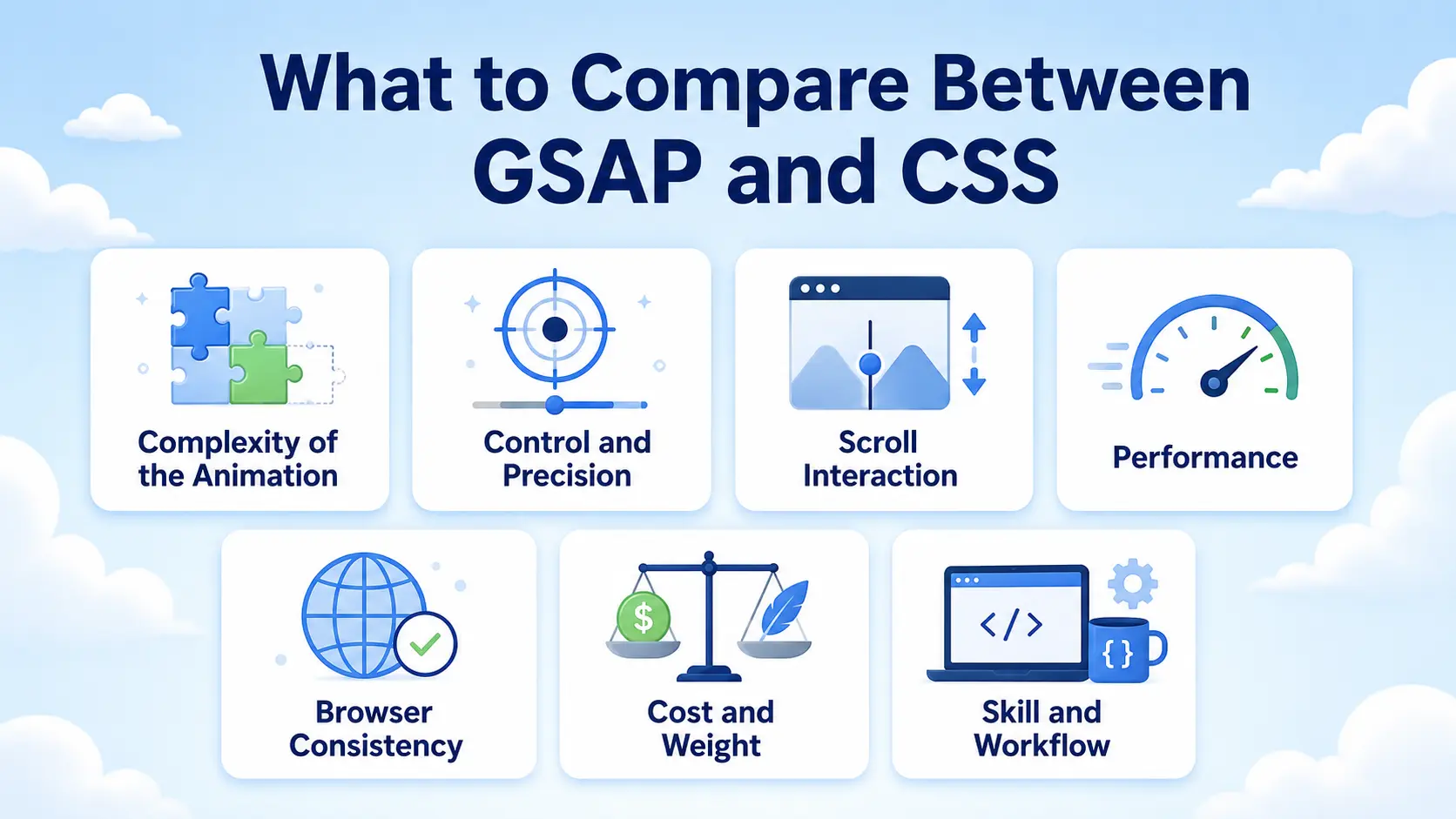
Before the head-to-head, here are the factors that actually determine which tool fits an effect. These are the criteria to weigh, not just the buzzwords.
Complexity of the Animation
Simple, single-property effects (a fade, a color change, a scale on hover) favor CSS. Multi-step sequences, animations where element B starts halfway through element A, or precise choreography favor GSAP, because CSS keyframes get unwieldy fast as complexity rises.
Control and Precision
GSAP gives fine-grained control: play, pause, reverse, seek to a point, adjust speed on the fly, and sequence with a timeline. CSS animations, once started, are much harder to control mid-flight. If you need to scrub, reverse, or dynamically change an animation, GSAP wins clearly.
Scroll Interaction
Anything driven by scroll position, reveals as you scroll, pinned sections, parallax tied to scroll, is GSAP territory (via ScrollTrigger). CSS has scroll-driven animation features, but browser support and control are still limited compared to GSAP’s mature, consistent behavior.
Performance
Both can be performant. CSS animations on transform and opacity are GPU-accelerated and extremely cheap. GSAP is also highly optimized and often outperforms naive CSS or JavaScript for complex work. Performance rarely picks the winner on its own; it’s more about not misusing either.
Browser Consistency
GSAP smooths over browser quirks and behaves consistently across browsers. CSS animation behavior can vary, especially for newer or edge-case features. For animations that must look identical everywhere, GSAP reduces surprises.
Cost and Weight
CSS adds zero payload, it’s already in your stylesheet. GSAP is a JavaScript library you load, though it’s lightweight for what it does and can be loaded efficiently. For a site that only needs a couple of micro-effects, that weight isn’t worth it; for a site built around motion, it easily is.
Skill and Workflow
Basic CSS animation is approachable for anyone who writes CSS. GSAP’s full power historically needed JavaScript, which raised the skill bar, until no-code tools started exposing GSAP through visual controls, changing that equation entirely.
GSAP vs CSS by Use Cases
Rather than crown a winner, here’s which tool fits each common animation job.
Hover Effects and Micro-Transitions
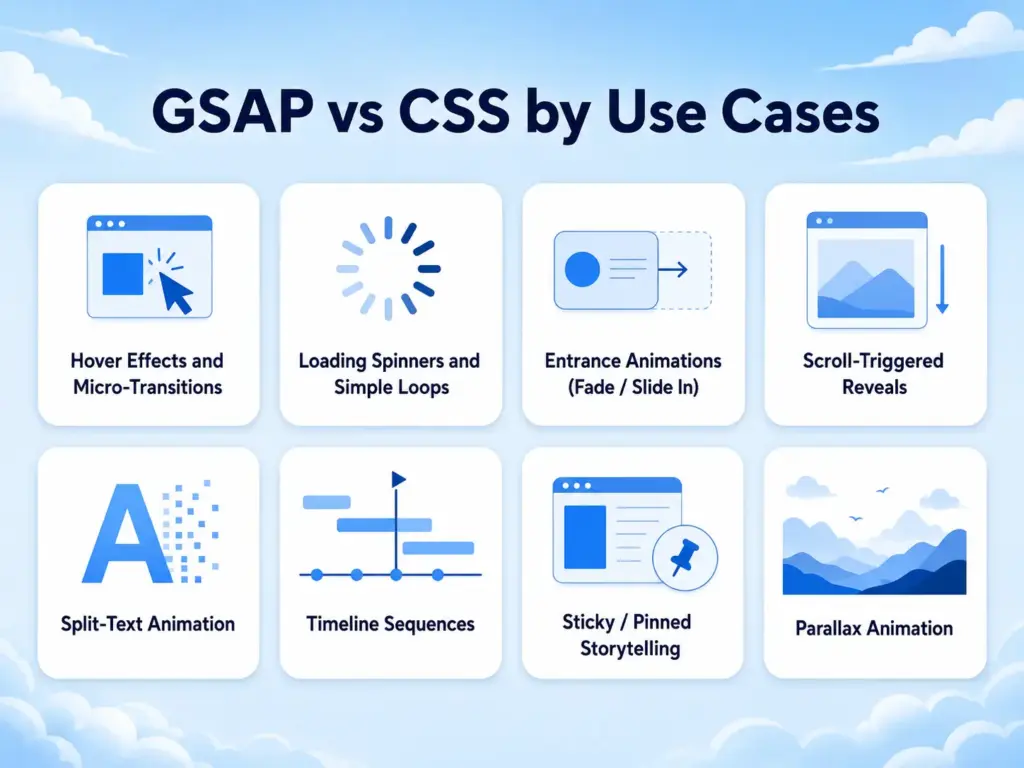
CSS wins. Button hovers, link underlines, card lifts, small state changes, these are exactly what CSS transitions were built for. They’re simple, self-contained, need no library, and cost nothing in payload. Reaching for GSAP here is overkill.
Loading Spinners and Simple Loops
CSS wins. A spinning loader or a gently pulsing element is a basic keyframe loop. CSS handles it cleanly with no JavaScript required.
Entrance Animations (Fade / Slide In)
Either works. A single element fading in on load is fine in CSS. But once you want several elements to stagger in sequence, or the entrance tied to scroll, GSAP becomes the cleaner choice. Simple one-offs, CSS; sequenced or scroll-based, GSAP.
Scroll-Triggered Reveals
GSAP wins. Revealing content as the user scrolls, with control over trigger points, direction, and staggering, is GSAP’s ScrollTrigger sweet spot. This is one of the clearest cases where GSAP’s maturity and control outclass CSS.
Split-Text Animation
GSAP wins. Animating a headline letter by letter or word by word is impractical in pure CSS and straightforward with GSAP’s SplitText. If your signature effect is an animated headline, GSAP is the tool.
Timeline Sequences
GSAP wins. When many elements animate in precise relationship, overlapping, offset, chained, GSAP timelines give control CSS can’t match. Complex choreography in CSS keyframes becomes a maintenance nightmare.
Sticky / Pinned Storytelling
GSAP wins. Pinning a section while content changes around it is a GSAP ScrollTrigger pattern. CSS position: sticky handles basic pinning, but coordinating it with animated content is a GSAP job.
Parallax Animation
GSAP wins (usually). Scroll-linked parallax with control over speed and layers is cleaner and more consistent in GSAP, though simple background effects can sometimes be done in CSS.
GSAP vs CSS Comparison Table
| Factor | CSS Animations | GSAP |
| Best for | Simple, self-contained effects | Complex, sequenced, scroll-driven motion |
| Payload | Zero (already in CSS) | Lightweight JS library |
| Control (play/pause/reverse/seek) | Limited | Full |
| Timeline sequencing | Hard | Excellent |
| Scroll interaction | Limited support | Excellent (ScrollTrigger) |
| Split-text | Impractical | Built-in (SplitText) |
| Browser consistency | Varies | Very consistent |
| Performance (simple effects) | Excellent | Excellent |
| Skill required | CSS-level | JS-level (or no-code with a tool) |
| Best audience | Anyone writing CSS | Motion-heavy builds / no-code via MotionKit |
Examples and Use Cases
Mapping the choice to real pages makes it concrete.
A business site with light motion. Hover effects on buttons and cards, a spinner while a form submits, a couple of fade-ins. This is all CSS, no library needed. Adding GSAP here would be weight for nothing.
A SaaS landing page built around motion. A split-text hero headline, scroll-triggered feature reveals, animated counters, a pinned product-story section. This is GSAP’s job, the sequencing and scroll control are exactly what it’s for, with CSS still handling the small hover states.
A portfolio site. Horizontal scroll galleries, staggered project reveals, an animated intro. GSAP for the signature scroll and sequence work, CSS for the micro-interactions on thumbnails.
A blog or content site. Mostly CSS: subtle hover states, simple reveals. Maybe a single GSAP scroll effect on the hero if you want a standout moment. No need to load a library for content-heavy pages that don’t lean on motion.
A campaign microsite. Scroll storytelling, pinned sections, choreographed reveals, this is GSAP end to end, because the whole experience is the animation.
The pattern holds across all of them: CSS handles the small, everyday effects that live on every page, and GSAP handles the signature, scroll-driven, sequenced motion that defines a premium site. Most real projects use both, and the skill is knowing which is which.
Benefits of Choosing the Right Tool
Picking correctly between GSAP and CSS isn’t pedantry, it changes the outcome.
You keep your site lean because you don’t load a JavaScript library for effects CSS handles for free. You build complex motion faster because you use GSAP’s timelines and ScrollTrigger instead of forcing CSS keyframes to do things they resist. You avoid maintenance headaches because the tool fits the job, so your animation code stays readable instead of becoming a tangle of workaround keyframes or an over-engineered script for a simple fade. And you get consistent results because you use GSAP where cross-browser reliability matters and CSS where it’s already reliable.
For freelancers and agencies, that means faster builds and fewer bugs. For anyone maintaining a site, it means motion that’s easy to adjust later instead of fragile to touch.
Common Mistakes to Avoid
Both camps make predictable errors when choosing between GSAP and CSS.
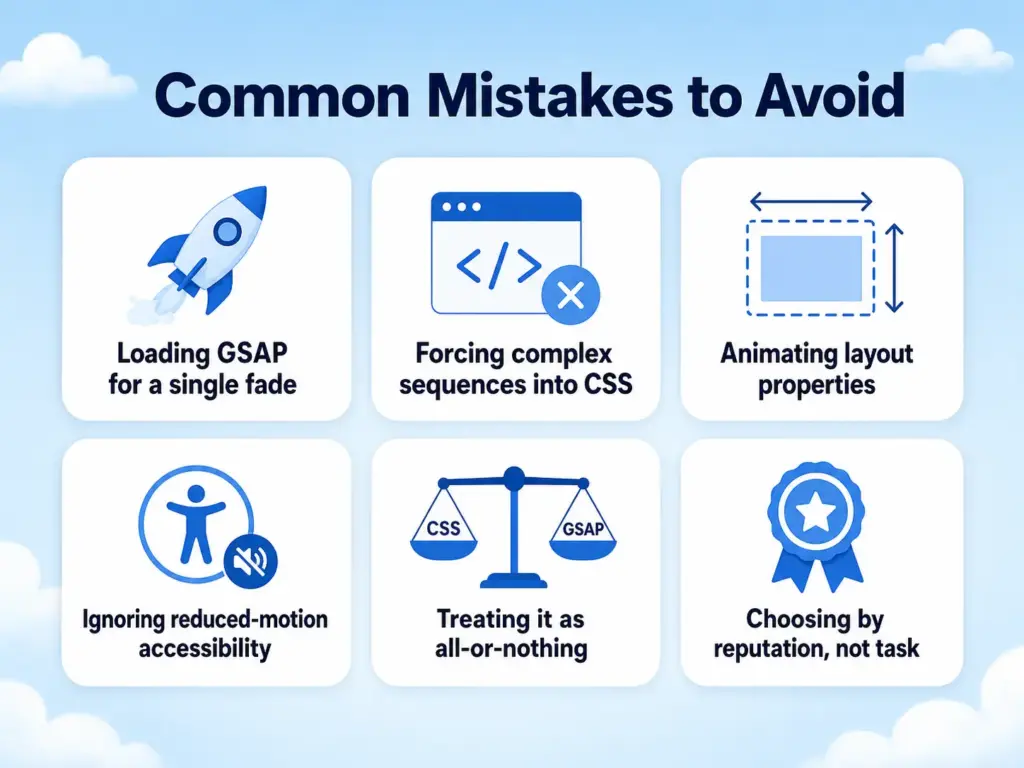
Loading GSAP for a single fade
If one hover and one fade are all you need, CSS covers it. Don’t add a library for effects that don’t need one. A simple CSS transition is lighter, easier to maintain, and faster to ship. Save GSAP for cases where CSS starts to feel limited.
Forcing complex sequences into CSS
Chained, overlapping, scroll-driven choreography in raw CSS keyframes becomes unmanageable fast. That’s the signal to reach for GSAP. GSAP gives you cleaner timeline control, better sequencing, and easier adjustments. It also makes complex animations easier to debug when the design changes later.
Animating layout properties
Animating width, height, top, or margin causes reflow and jank in both CSS and GSAP. Animate transform and opacity for smooth results, this applies to CSS and GSAP alike. This keeps the animation on the browser’s faster rendering path. It also helps avoid laggy movement, especially on mobile devices.
Ignoring reduced-motion accessibility
Whether you use CSS or GSAP, respect the reduced-motion setting for users sensitive to movement. Motion should improve the experience, not make the site uncomfortable to use. Provide a calmer version of the effect when reduced motion is enabled. This can mean disabling large movement, removing parallax, or using a simple opacity change instead.
Treating it as all-or-nothing
The mistake underneath most of the others is assuming you must pick one for the whole site. Real sites use both. CSS can handle small UI transitions, while GSAP can handle advanced scroll, timeline, and storytelling effects. The best setup is usually a balanced one, not a strict rule.
Choosing by reputation, not task
Picking GSAP because it’s “pro” or CSS because it’s “clean” ignores the actual effect you’re building. Let the job decide. Start by asking how complex the animation is, how much control it needs, and whether it depends on scroll or timing. Then choose the tool that solves that specific problem with the least friction.
How MotionKit Helps
The historical catch with GSAP was the skill barrier: its power lived behind JavaScript, so designers who could write CSS animations couldn’t easily reach GSAP’s timelines and ScrollTrigger. MotionKit removes that barrier.
MotionKit brings GSAP-powered animation to WordPress through visual controls, so the effects where GSAP genuinely wins, scroll-triggered reveals, split-text headings, timelines, pinned sections, parallax, are available without writing JavaScript. You get the tool that’s actually right for complex, scroll-driven motion, driven through an interface instead of code.
That changes the GSAP vs CSS decision in practice. You no longer avoid GSAP just because it means scripting; you can use CSS-level simplicity to access GSAP-level power. For a WordPress site, that means you reach for the right tool per effect, CSS-style micro-interactions where they fit, GSAP for the signature motion, without the skill jump that used to force people into the wrong choice. MotionKit won’t rewrite how CSS works for basic hovers, but for everything GSAP does best, it makes that power a no-code option.
Conclusion
GSAP vs CSS animations was never meant to be a single winner. CSS is the right tool for the simple, self-contained effects that live on every page, hovers, spinners, basic transitions, because it’s free, lightweight, and already in your stylesheet. GSAP is the right tool for the complex, sequenced, scroll-driven motion that defines a premium site, split-text, ScrollTrigger reveals, timelines, and pinned storytelling, because that’s exactly where CSS runs out of control.
The mistake is choosing by habit or reputation instead of by the effect in front of you. Match the tool to the job and you get a leaner, faster, more maintainable site: CSS where it excels, GSAP where it earns its weight, and both working together on most real projects.
The next step is to look at the animations you want, sort them into “simple and self-contained” versus “sequenced or scroll-driven,” and reach for CSS or GSAP accordingly. And if the GSAP side used to feel out of reach because of code, that barrier is gone.
FAQs
Neither is universally better. CSS is best for simple, self-contained effects like hovers and spinners because it’s lightweight and needs no library. GSAP is best for complex, sequenced, and scroll-driven animation like timelines, split-text, and pinned sections. Most sites use both, matching the tool to the effect.
For simple effects, CSS on transform and opacity is extremely fast and GPU-accelerated. For complex animation, GSAP is highly optimized and often outperforms naive alternatives. Performance rarely decides the choice on its own; misusing either (like animating layout properties) causes more slowdown than the tool itself.
Use GSAP when you need scroll-triggered animation, precise timelines, split-text effects, pinned storytelling, or fine control like reverse and seek. Use CSS for hovers, simple loops, and basic transitions. If an effect is scroll-based or heavily sequenced, that’s a GSAP job.
Yes, and most professional sites do. CSS handles the small, everyday micro-interactions on every page, while GSAP powers the signature scroll and sequence animations. Using both is the normal, recommended approach, not a compromise.
Not anymore. No-code tools like MotionKit expose GSAP’s power, ScrollTrigger, SplitText, timelines, through visual controls in WordPress, so you can build GSAP animations without writing JavaScript.
Not inherently. GSAP is a lightweight, optimized library and can be loaded efficiently. Slowdowns usually come from overloading a page with effects or animating the wrong properties, which happens with CSS too. Used purposefully, GSAP’s impact is minimal.